


Description
Download Validator – Free XML Validation Tool for macOS
Overview
Validator is a lightweight, free utility designed specifically for Mac users who need to validate XML files quickly and reliably. First introduced to the catalog in 2006, this development‑oriented application has attracted over 2,400 downloads, with a strong user base in Germany. Although its latest update dates back to December 31 2008 (version 1.4), the program remains fully functional on macOS X and earlier versions. Its primary purpose is to check XML documents against their associated DTD, XSD, or Relax NG schemas, ensuring that your markup is well‑formed and adheres to the defined standards. Because the software occupies minimal disk space, it is an ideal addition to any developer’s toolkit, especially when working on web‑related projects that require strict XML compliance. Validator’s interface is intentionally simple: you drag‑and‑drop an XML file, select the appropriate schema, and let the engine run its checks. Errors are highlighted in a clear, color‑coded log, making troubleshooting straightforward even for beginners. The app is available exclusively in English, which helps maintain a consistent user experience across the global Mac development community.
Key Features of Validator
- Supports DTD, XSD, and Relax NG schema validation.
- Drag‑and‑drop file handling for instant checks.
- Detailed error reporting with line numbers and descriptions.
- Minimal system footprint – requires less than 5 MB of free space.
- Native macOS UI that integrates with Finder and the Services menu.
- Batch validation to process multiple XML files in one operation.
- Exportable validation reports in plain‑text or HTML format.
- Automatic detection of XML encoding and character set.
- Secure, offline validation – no internet connection required.
- Free for personal and commercial use with no hidden fees.
These features make Validator a compelling choice for web developers, content managers, and anyone who regularly works with XML‑based data feeds, configuration files, or SVG graphics. Because the tool runs entirely on the local machine, it respects privacy and avoids the security concerns associated with online validators. Moreover, the batch processing capability saves time when dealing with large document collections, a common scenario in enterprise environments. The export options allow you to archive validation results for compliance audits or share them with teammates who may not have the application installed.
Installation & Usage Instructions
Installing Validator is straightforward and mirrors the typical macOS application setup. First, download the Validator.dmg file from the official download page. Once the download completes, double‑click the DMG to mount the disk image. Drag the Validator icon into your /Applications folder. Because the software is unsigned (due to its age), you may encounter a warning from macOS Gatekeeper. To bypass this, open System Preferences → Security & Privacy**, click **Allow** for the Validator app, and then launch it.
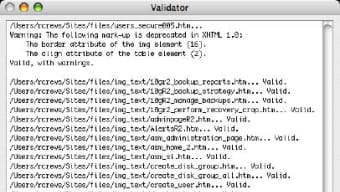
After launching, the main window presents a clean layout: a sidebar for recent files, a central area for drag‑and‑drop, and a bottom pane for validation results. To validate an XML file, simply drag the file onto the central pane or use the **File → Open** menu. Next, select the appropriate schema type (DTD, XSD, or Relax NG) from the dropdown. If you have a local schema file, you can point the validator to it via the **Browse** button. Click **Validate**, and the engine will scan the document. Any errors appear in the result pane, highlighted in red, with a concise description and the exact line number. Correct the issues in your preferred text editor, then re‑run the validation until the pane shows a green “No errors found” message.
For batch validation, choose **File → Batch Validate**, then select a folder containing multiple XML files. Validator will iterate through each file, generating an individual report that you can save as .txt or .html. These reports are useful for automated build pipelines or continuous integration setups where XML integrity is critical. Finally, remember to check for software updates periodically, even though the last official release was in 2008; the community sometimes shares unofficial patches on forums.
Pros, Cons & Frequently Asked Questions
Pros
- Free and completely offline – no subscription or hidden costs.
- Extremely low memory and disk usage, perfect for older Mac hardware.
- Supports the three major schema types used in modern XML workflows.
- Intuitive drag‑and‑drop interface reduces learning curve.
- Batch validation saves time on large projects.
Cons
- Last updated in 2008, so it may lack support for newer macOS security features.
- English‑only interface may limit non‑English speaking users.
- No built‑in auto‑fix functionality; errors must be corrected manually.
- Limited integration with modern IDEs such as VS Code or JetBrains suite.
- Absence of a command‑line mode for scripting environments.
Frequently Asked Questions
Is Validator compatible with the latest macOS versions?
Validator runs on macOS X and earlier releases. While it can launch on newer versions, you may need to adjust Gatekeeper settings or run the app in a compatibility mode. Because the program is not actively maintained, some security prompts may appear.
Can Validator handle large XML files (over 100 MB)?
Yes, the engine processes files based on available RAM. For very large documents, expect longer validation times, but the low memory footprint ensures the app does not crash.
Is there a way to automate validation in a CI/CD pipeline?
Validator does not provide a native command‑line interface, but you can invoke it via AppleScript or use the batch mode in a shell script. Many developers prefer open‑source command‑line tools for full automation.
Does Validator support XML namespaces?
Yes, the validator correctly interprets XML namespaces when validating against XSD or Relax NG schemas.
What file formats can I export validation reports to?
Reports can be saved as plain‑text (.txt) or as styled HTML files, allowing you to share results with non‑technical stakeholders.
Overall, Validator delivers exactly what its name promises – a fast, free, and reliable way to validate XML files on macOS. While the lack of recent updates may be a concern for security‑conscious users, its simplicity, tiny footprint, and solid feature set keep it relevant for many developers, especially those working in environments where offline validation is a requirement.
Conclusion & Call to Action
If you are a Mac‑based developer, content editor, or system administrator looking for a no‑cost solution to keep your XML documents clean, Validator is a strong candidate. Its straightforward UI, comprehensive schema support, and batch processing capabilities make it a valuable addition to any development workflow. Even though the software hasn’t been updated since 2008, its core functionality remains solid, and the free license eliminates any financial barrier.
Ready to improve the quality of your XML files? Download Validator now and start validating instantly. Remember to keep a backup of your original files before making changes, and consider pairing Validator with a modern IDE for a smoother editing experience. Happy coding!
Guides & Tutorials for Validator
How to install Validator
- Click the Preview / Download button above.
- Once redirected, accept the terms and click Install.
- Wait for the Validator download to finish on your device.
How to use Validator
This software is primarily used for its core features described above. Open the app after installation to explore its capabilities.
User Reviews for Validator 0
No reviews found





.webp)